
Apollo Group TV Login: Complete Guide to Access and Setup in 2025
Table of Contents
Streaming entertainment has transformed how we watch television, and Apollo Group TV stands as one of the leading IPTV services providing access to thousands of channels worldwide. Whether you’re a new subscriber trying to access your account for the first time or an existing user troubleshooting login issues, this comprehensive guide walks you through everything you need to know about apollo group tv login procedures, account management, and getting the most from your subscription.
Understanding Apollo Group TV and IPTV Services
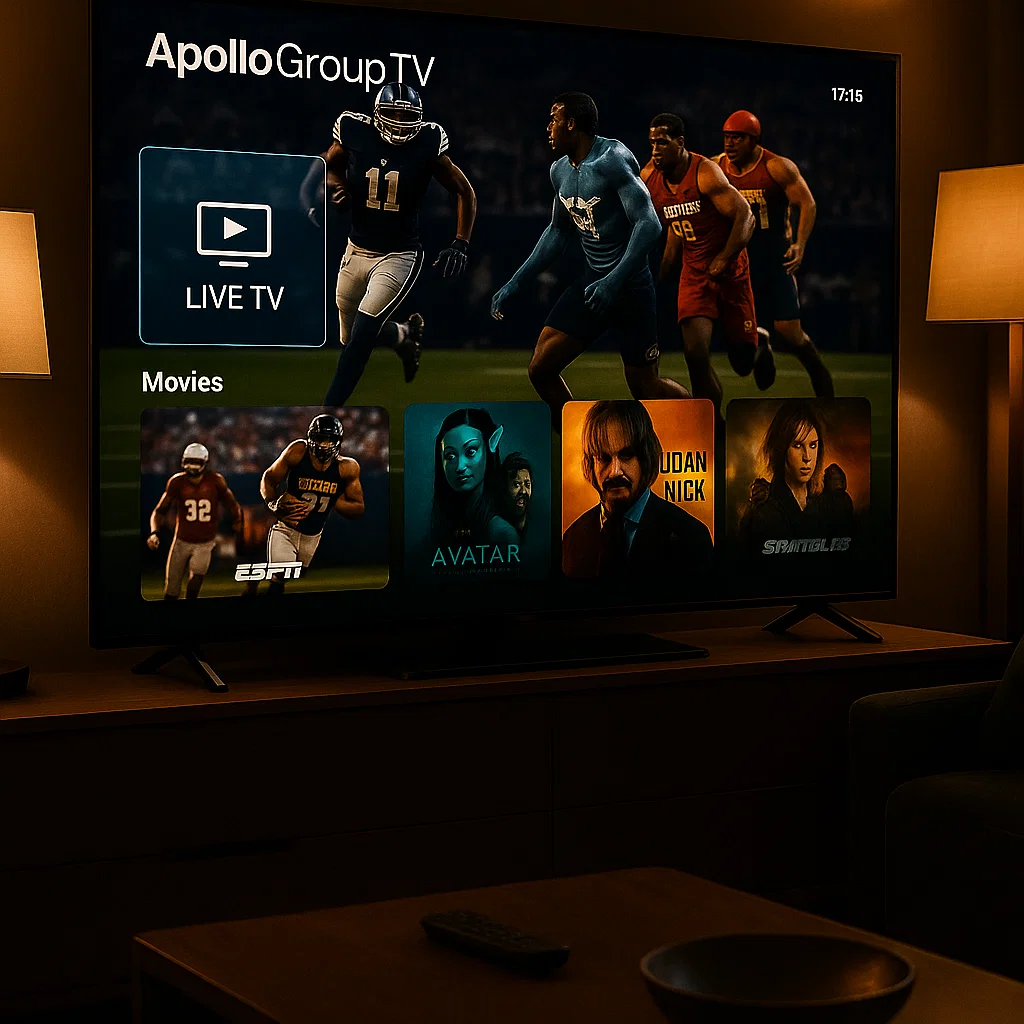
Before diving into login specifics, it helps to understand what Apollo Group TV offers and how IPTV technology works. Internet Protocol Television (IPTV) delivers television content through internet connections rather than traditional cable or satellite formats. This modern approach provides flexibility, allowing you to watch your favorite channels on multiple devices from anywhere with a reliable internet connection.
Apollo Group TV has built a reputation for delivering quality streaming with an extensive channel lineup covering sports, movies, news, international content, and premium entertainment options. The service works across various platforms including Android devices, Amazon Fire TV, smart TVs, and other compatible streaming hardware.
Understanding the basics of IPTV technology helps you appreciate why proper login credentials and account security matter so much. Unlike traditional broadcasting that sends signals to all receivers simultaneously, IPTV streams content directly to your specific device based on your account authentication.
Getting Started: Initial Account Setup
When you first subscribe to Apollo Group TV, you’ll receive credentials needed to access the service. The initial setup process varies slightly depending on which device you’re using, but the fundamental apollo group tv login principles remain consistent across platforms.
Your subscription package typically includes a username and password, though some services use different authentication methods like activation codes or MAC addresses. Keep this information secure and accessible – you’ll need it each time you set up the service on a new device.
Most users begin by downloading the Apollo Group TV application on their preferred streaming device. The app serves as your gateway to the entire channel lineup and on-demand content library. Without proper login credentials, the app remains locked, so ensuring you have the correct information before starting saves frustration.
New subscribers sometimes confuse their email login credentials with their service credentials. Your email address and password used for billing or account management might differ from the username and password needed for the actual streaming app. Keep these separate in your records to avoid confusion during the apollo group tv login process.
Step-by-Step Login Process for Android Devices
Android devices, including smartphones, tablets, and Android TV boxes, represent the most popular platform for Apollo Group TV users. The login process on these devices follows a straightforward pattern that becomes second nature after your first successful attempt.
Start by opening the Google Play Store on your Android device. Search for the Apollo Group TV app and install it. Some users prefer sideloading the APK file directly, which bypasses the Play Store but requires enabling installation from unknown sources in your device settings.
Once installed, launch the Apollo Group TV application. You’ll encounter a login screen requesting your credentials. Enter the username and password provided when you purchased your subscription. Pay careful attention to capitalization and special characters – login credentials are case-sensitive, and a simple typo prevents access.
After entering your credentials, tap the login or sign-in button. The app will verify your information with Apollo Group TV servers. This process typically takes just a few seconds with a good internet connection. Once authenticated, the app loads your channel list and you’re ready to start streaming.
If you encounter issues during the apollo group tv login process on Android, double-check your internet connection first. A stable connection is essential for authentication. Next, verify you’re using the current version of the app – outdated versions sometimes experience login problems that updates resolve.
Logging In on Amazon Fire TV and Fire Stick
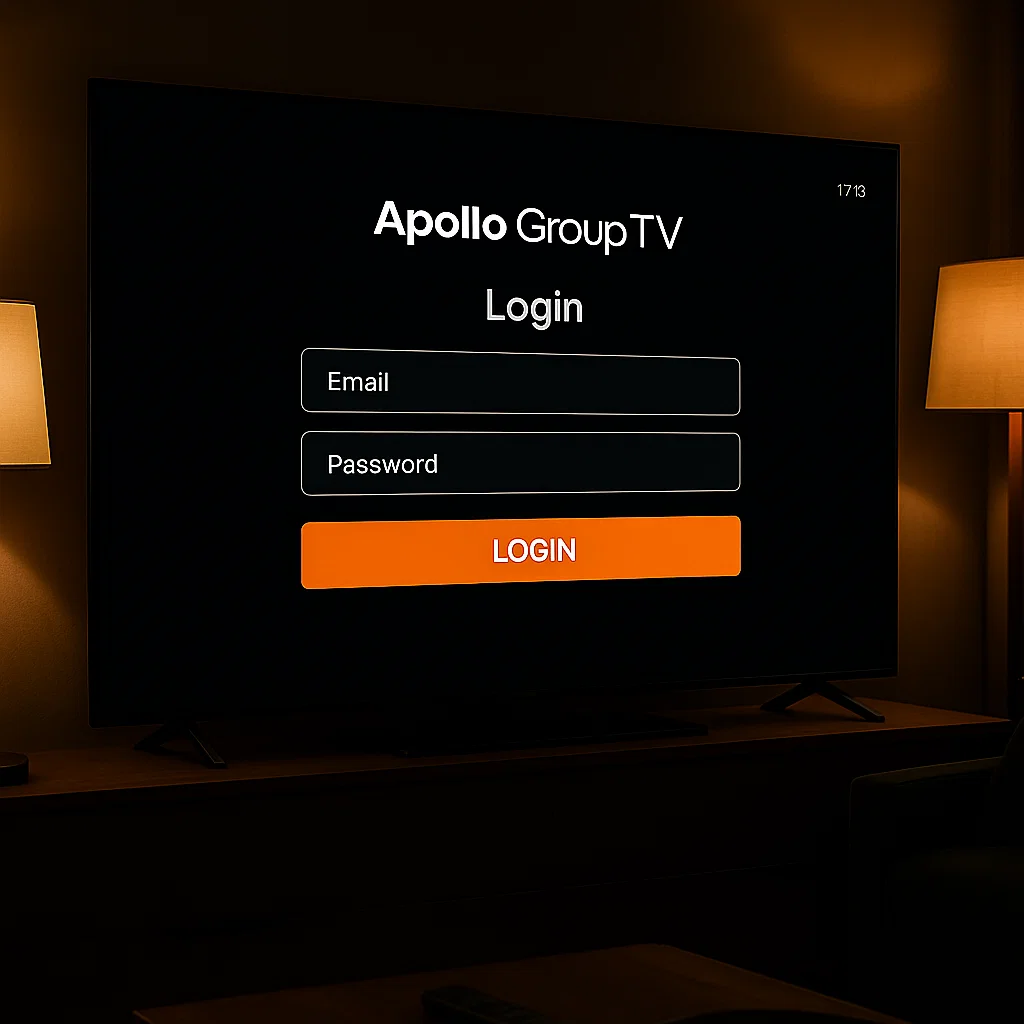
Amazon Fire TV devices and Fire Sticks offer another excellent platform for Apollo Group TV. The login process mirrors the Android approach but with some interface differences reflecting Amazon’s operating system.
Navigate to the Amazon App Store from your Fire TV home screen. Search for Apollo Group TV using the on-screen keyboard or Alexa voice commands. Download and install the application just as you would any other Fire TV app.
Launch Apollo Group TV from your Apps section. The initial screen presents login fields where you’ll enter your username and password. The Fire TV remote makes text entry somewhat tedious, so take your time to ensure accuracy. Alternatively, if your Fire TV supports the Amazon Fire TV mobile app, you can use your smartphone’s keyboard for easier text input.
After successful authentication, the app configures itself for your Fire TV device. The interface adapts to the television screen format, providing easy navigation through channels and categories using your Fire TV remote. The entire apollo group tv login process on Fire devices takes just a few minutes from start to finish.
Fire TV users should note that Apollo Group TV might not always appear in the official Amazon App Store depending on your region. In such cases, sideloading the APK using the Downloader app provides an alternative installation method. This approach remains safe when downloading from trusted sources provided by Apollo Group TV.
Smart TV Integration and Login Procedures
Modern smart TVs increasingly support IPTV apps directly, eliminating the need for external streaming devices. The apollo group tv login process on smart TVs varies by manufacturer and operating system, but general principles remain consistent.
Samsung smart TVs running Tizen OS, LG TVs with webOS, and Android TV models each have their own app ecosystems. Check if Apollo Group TV offers a native app for your specific smart TV platform. If available, download it from your TV’s app store just as you would on a mobile device.
For smart TVs without native Apollo Group TV support, alternative methods exist. Some users connect Android TV boxes or Fire Sticks to their smart TVs, essentially treating the smart TV as a display monitor. Others use screen mirroring or casting from mobile devices that successfully run the Apollo Group TV app.
When a native app exists for your smart TV, the login process follows familiar patterns. Open the app, enter your credentials, and authenticate your account. Smart TV remote controls can make text entry challenging, so consider using your TV’s voice input features or smartphone apps designed to control your smart TV.
The advantage of running Apollo Group TV directly on your smart TV is simplicity – fewer devices, fewer remote controls, and a cleaner entertainment center setup. However, ensure your smart TV receives regular software updates to maintain security and compatibility with the Apollo Group TV app.
Troubleshooting Common Login Issues
Even with correct credentials and proper setup, users occasionally encounter apollo group tv login problems. Understanding common issues and their solutions helps you resolve problems quickly without extensive technical support.
Invalid credential errors represent the most frequent login problem. Double-check that you’re entering the exact username and password provided with your subscription. Remember that passwords are case-sensitive and might include special characters that look similar (like zero vs. letter O, or one vs. lowercase L). If you’ve recently changed your password, ensure you’re using the updated version.
Connection timeout errors indicate network problems preventing your device from reaching Apollo Group TV servers. Test your internet connection by opening a web browser or another streaming app. If other services work normally, the issue might be temporary server maintenance. Wait a few minutes and try again.
Account suspension messages appear when subscription payments fail or accounts violate terms of service. Check your payment method and subscription status through the Apollo Group TV website or customer support channels. Resolve any billing issues to restore access.
App crashes during login suggest software problems rather than credential issues. Clear the app’s cache and data through your device settings, then try logging in again. If problems persist, uninstall and reinstall the Apollo Group TV app to ensure you have a clean, updated version.
Some users report that VPN services interfere with the apollo group tv login process. While VPNs serve legitimate privacy purposes, they sometimes trigger security measures that block access. Try temporarily disabling your VPN during login, then re-enable it after successful authentication if needed for your viewing setup.
For persistent issues that these solutions don’t resolve, contact Apollo Group TV customer support through apollogroup-IPTV.com. Their technical team can investigate account-specific problems and provide targeted solutions.
Managing Multiple Devices and Simultaneous Streams
Most Apollo Group TV subscriptions allow usage across multiple devices, though simultaneous streaming limits vary by subscription tier. Understanding these limits and managing your devices properly ensures smooth access without disruptions.
After completing the apollo group tv login process on your first device, you can typically add several additional devices using the same credentials. Each device authenticates independently, but all share the same subscription and concurrent stream limit.
When you reach your simultaneous stream limit, attempting to start another stream triggers an error message. The solution is straightforward – stop playback on one device before starting it on another. Some subscription tiers offer higher concurrent stream limits for households with multiple viewers.
Device management becomes important when you’ve logged in on devices you no longer use. Old smartphones, replaced streaming boxes, or devices given to friends might remain authenticated on your account. While this doesn’t usually cause problems, it’s good practice to periodically review connected devices and log out from those you no longer use.
Some users share their Apollo Group TV subscription with family members or friends in different locations. While this seems economical, it often violates terms of service and can lead to account suspension. Additionally, sharing credentials poses security risks – anyone with your login information can potentially change passwords and lock you out of your own account.
If multiple household members will use Apollo Group TV, set up proper device management from the start. Designate which devices each person uses and establish guidelines for when and how they access the service. This organization prevents conflicts over simultaneous stream limits and ensures everyone can enjoy their favorite content.
Security Best Practices for Your Apollo Group TV Account
Protecting your apollo group tv login credentials safeguards both your access to entertainment and your payment information associated with the subscription. Following security best practices prevents unauthorized access and potential account compromises.
Choose a strong, unique password for your Apollo Group TV account. Avoid obvious choices like “password123” or your birth date. Instead, create passwords combining uppercase and lowercase letters, numbers, and special characters in unpredictable patterns. Password managers can generate and securely store complex passwords, eliminating the need to memorize them.
Never share your login credentials publicly or through unsecured communication channels. If you must share information with customer support, do so only through official Apollo Group TV support channels. Legitimate support staff will never ask for your password – they can reset it without needing to know your current one.
Beware of phishing attempts that impersonate Apollo Group TV communications. Scammers send emails or messages claiming your account needs verification or has billing problems, then direct you to fake login pages designed to steal your credentials. Always access your account by typing the official Apollo Group TV website address directly into your browser rather than clicking links in unexpected emails.
Enable two-factor authentication if Apollo Group TV offers this security feature. Two-factor authentication requires a second verification step beyond your password, typically a code sent to your phone or generated by an authenticator app. This additional layer makes unauthorized access nearly impossible even if someone obtains your password.
Regularly review the devices logged into your account and log out from any you don’t recognize. If you suspect someone has accessed your account without authorization, change your password immediately and contact Apollo Group TV support to investigate.
Understanding basic computer security principles helps protect all your online accounts, not just Apollo Group TV. The same practices that secure your streaming service also protect your email, banking, and social media accounts from unauthorized access.
Optimizing Your Streaming Experience After Login
Successfully completing the apollo group tv login process opens the door to extensive entertainment options, but optimizing your setup ensures the best possible viewing experience. Several factors influence stream quality and playback reliability.
Internet connection speed significantly impacts streaming quality. Apollo Group TV recommends minimum speeds of 10 Mbps for standard definition content, 25 Mbps for high definition, and 50 Mbps or higher for 4K content. Test your connection speed using online tools and contact your internet service provider if speeds fall below these thresholds consistently.
Wired Ethernet connections provide more stable streaming than WiFi, especially for devices that remain stationary like smart TVs or streaming boxes. WiFi works fine for mobile devices and situations where running cables isn’t practical, but wired connections eliminate wireless interference and bandwidth competition from other devices.
Router placement affects WiFi performance for devices using wireless connections. Position your router centrally in your home, away from obstacles like thick walls or metal objects that block signals. If your streaming device is far from your router, consider WiFi extenders or mesh network systems to improve coverage.
The Apollo Group TV app includes settings that let you adjust stream quality manually. Auto-quality settings work well for most users, automatically adjusting based on your current connection speed. However, if you experience constant buffering, manually selecting a lower quality setting might provide smoother playback, sacrificing some picture quality for reliability.
Keep your streaming device’s operating system and the Apollo Group TV app updated. Updates often include performance improvements, bug fixes, and new features that enhance your viewing experience. Enable automatic updates when possible to ensure you’re always running the latest versions.
Close unnecessary apps running in the background on your streaming device. Multiple apps competing for processing power and memory can cause the Apollo Group TV app to perform sluggishly. This particularly matters on older devices with limited resources.
Subscription Management and Account Settings
Beyond the initial apollo group tv login, managing your subscription and account settings ensures uninterrupted service and allows you to customize your experience according to preferences.
Access account management features through the Apollo Group TV website at apollogroup-IPTV.com. Here you’ll find options to view your subscription status, update payment methods, change your password, and manage account preferences. These settings remain separate from the streaming app itself, focusing on administrative and billing functions.
Subscription renewals typically happen automatically using your saved payment method. Check your payment information periodically to ensure credit cards haven’t expired and billing addresses remain current. Failed payment attempts can lead to service interruptions until billing issues are resolved.
Apollo Group TV likely offers multiple subscription tiers with different channel packages, stream quality options, and simultaneous stream limits. Review these tiers periodically to ensure your current plan matches your viewing needs. If you find you rarely use premium channels or need additional simultaneous streams, adjusting your subscription tier might save money or provide better value.
Parental control settings help families ensure children access only age-appropriate content. While specific parental control features vary, most IPTV services allow setting PIN codes that restrict access to certain channels or content ratings. Configure these settings through your account management portal or within the Apollo Group TV app itself.
Some users prefer organizing channels into custom favorites lists for easier navigation. The Apollo Group TV app typically includes features for creating these lists, hiding channels you never watch, and organizing content by category or language. Spending a few minutes customizing these settings immediately after your first apollo group tv login enhances your ongoing experience.
Legal Considerations and Responsible IPTV Use
Using IPTV services like Apollo Group TV comes with responsibilities and legal considerations that subscribers should understand. While IPTV technology itself is entirely legal, content licensing and viewing rights create a complex landscape.
Legitimate IPTV providers like Apollo Group TV license content from broadcasters and content owners, paying fees that fund programming creation. This licensing model mirrors how cable and satellite companies operate, just delivered through internet technology instead of traditional broadcast methods.
Questions sometimes arise about IPTV legality because some services operate without proper licensing, offering pirated content at unrealistically low prices. These illegal services harm content creators, violate copyright laws, and risk prosecution for both operators and users. Always verify that your IPTV provider operates legally with proper content licenses.
Terms of service agreements outline acceptable use policies for your Apollo Group TV subscription. These typically prohibit sharing accounts beyond your household, using service for commercial purposes, or accessing content outside allowed geographical regions. Violating these terms can result in account suspension or termination without refund.
Geographic restrictions exist because broadcasting rights are typically licensed by country or region. A broadcaster might own rights to show Premier League soccer in the UK but not in the United States, where different networks hold those rights. IPTV services must respect these restrictions, which is why some content might be unavailable in certain locations.
VPN usage represents a gray area in IPTV service. While VPNs serve legitimate privacy purposes, some users employ them to circumvent geographic restrictions and access content unavailable in their region. This practice often violates terms of service and can trigger account actions. Use VPNs responsibly and understand that bypassing content restrictions might breach your subscription agreement.
Responsible IPTV use means enjoying the extensive entertainment options your subscription provides while respecting the legal frameworks that make this content available. Supporting legitimate services ensures content creators receive compensation for their work and helps sustain the entertainment industry.
Comparing Apollo Group TV to Other IPTV Services
Understanding how Apollo Group TV compares to alternative IPTV providers helps subscribers appreciate the value of their service and make informed decisions about their entertainment options. While specific comparisons should be based on current offerings, several general factors distinguish IPTV services.
Channel selection varies significantly between providers. Some services focus on specific regions or content types, while others aim for comprehensive international coverage. Apollo Group TV’s channel lineup appeals to diverse audiences with content spanning sports, entertainment, news, and international programming from multiple countries.
Stream quality and reliability separate premium services from budget alternatives. The best IPTV providers invest in robust infrastructure that delivers consistent high-definition streams with minimal buffering. Customer reviews and independent testing provide insights into which services maintain reliable performance during high-traffic periods like major sporting events.
Customer support quality matters more than many subscribers initially realize. When you encounter apollo group tv login problems or technical issues, responsive support can mean the difference between quick resolution and hours of frustration. Services offering multiple support channels (email, live chat, phone) with knowledgeable staff provide better subscriber experiences.
Pricing structures reflect both the breadth of content offered and the quality of service delivery. Extremely low prices compared to competitors often indicate either limited content libraries or questionable licensing arrangements. Conversely, the most expensive options don’t always provide proportionally better value. Research the specific channels and features included at different price points.
Device compatibility affects usability, especially for households with mixed device ecosystems. Services supporting a wide range of platforms from smartphones to smart TVs provide more flexibility than those limited to specific devices or operating systems.
User interface design impacts daily enjoyment more than technical specifications suggest. Well-designed apps make finding content intuitive, while poorly designed interfaces frustrate users even when the underlying service is technically sound. Consider interface usability when evaluating IPTV options.
Future of IPTV and Apollo Group TV Features
The IPTV industry continues evolving rapidly, with new technologies and features enhancing the streaming experience. Understanding emerging trends helps subscribers anticipate improvements and make informed decisions about their entertainment technology.
4K and even 8K content becomes increasingly common as internet speeds improve and display technology advances. Apollo Group TV likely expands high-resolution content offerings as more channels broadcast in these formats. However, remember that viewing 4K content requires appropriate displays and sufficient bandwidth beyond basic HD requirements.
Cloud DVR functionality allows recording favorite shows and sporting events for later viewing. Unlike traditional DVR systems requiring physical storage in your home, cloud DVR stores recordings on remote servers accessible from any device. This feature significantly enhances IPTV flexibility, though storage limits typically apply based on subscription tier.
Artificial intelligence and machine learning enable smarter content recommendations. Rather than generic suggestions, future IPTV services will learn your viewing habits and preferences, surfacing content you’re likely to enjoy that you might not discover through manual browsing.
Interactive features transform passive viewing into engaging experiences. Some IPTV services experiment with features allowing viewers to choose camera angles during sports broadcasts, access real-time statistics, or participate in live polls and games related to programming content.
Integration with smart home ecosystems allows voice control through assistants like Alexa or Google Assistant. Imagine saying “Alexa, play the game on Apollo Group TV” and having your system automatically switch inputs, launch the app, and navigate to the right channel.
Improved compression technologies deliver better picture quality at lower bandwidth requirements. As these codec technologies advance, users with moderate internet connections will enjoy higher quality streams that previously required faster speeds.
The ongoing shift from traditional broadcasting to internet-delivered content suggests IPTV will eventually become the dominant television delivery method. Services like Apollo Group TV position themselves at the forefront of this transition, continuously adapting to viewer preferences and technological capabilities.
International Content and Multilingual Options
One of Apollo Group TV’s strengths lies in its international content offerings, making it valuable for expatriates, multilingual households, and anyone interested in programming beyond their local market. Accessing this global content requires understanding how international channels work within the service.
After completing your apollo group tv login, you’ll find channels organized by country or language alongside general categories like sports and movies. This organization helps users quickly locate content in their preferred languages or from specific regions.
International sports coverage gives fans access to games and matches unavailable through local broadcasters. European soccer leagues, cricket from the Indian subcontinent, Formula 1 racing, and other international sports find enthusiastic audiences among Apollo Group TV subscribers worldwide.
News channels from around the globe provide diverse perspectives on current events. Whether you want to watch BBC, Al Jazeera, NDTV, or regional broadcasters, international IPTV access breaks down geographical barriers that traditionally limited news consumption.
Entertainment content including soap operas, variety shows, and dramas from different countries attracts viewers maintaining connections to their heritage or exploring foreign cultures. International film channels showcase cinema beyond Hollywood, from Bollywood to European art house productions.
Language learning benefits from access to native content. Students and language enthusiasts can watch programming in their target language, hearing authentic pronunciation and experiencing cultural context that textbooks cannot provide.
Subtitle and audio track options vary by channel and content. Some international channels include multiple language options, while others broadcast only in their native language. Check specific channel capabilities if these features are important to your viewing needs.
Time zone considerations affect live content viewing. A cricket match airing live from India might broadcast in the middle of the night for viewers in North America. Cloud DVR features, if available, help manage these timezone challenges by allowing you to record and watch at convenient times.
Technical Support and Getting Help
Despite straightforward setup processes, users occasionally need assistance with apollo group tv login issues or technical problems. Knowing where to find help and how to effectively communicate issues ensures quick resolution.
The Apollo Group TV website at apollogroup-IPTV.com serves as the primary resource for support information. Look for knowledge bases, FAQ sections, or support portals containing articles addressing common issues and setup guides for various devices.
Customer support channels typically include email support, live chat, and possibly phone support depending on your subscription tier and region. Email works well for non-urgent issues and provides written records of communications. Live chat offers faster responses for time-sensitive problems. Phone support provides the most personal assistance for complex technical issues.
When contacting support, prepare relevant information beforehand to expedite assistance. Note your account username (but never share passwords), describe the specific problem you’re experiencing, document any error messages exactly as they appear, and list the device and operating system you’re using. This information helps support staff diagnose issues quickly.
Community forums and social media groups where Apollo Group TV users congregate can provide peer support and solutions. While unofficial, these communities often include experienced users who’ve encountered and solved similar problems. However, never share login credentials or sensitive account information in public forums.
Screenshots or photos of error messages help support staff understand exactly what you’re experiencing. Most devices make capturing screenshots easy through button combinations or menu options. Include these with your support requests when relevant.
Document troubleshooting steps you’ve already attempted before contacting support. This information prevents redundant advice and helps support staff move directly to advanced solutions. Note when problems started, whether anything changed on your device or network around that time, and whether the issue affects all content or specific channels.
Response times vary by support channel and inquiry complexity. Email responses typically arrive within 24-48 hours, while live chat provides immediate interaction. Understand that some issues require investigation by technical teams and might not be resolved instantly.
Maximizing Value from Your Apollo Group TV Subscription
Getting the most from your Apollo Group TV subscription goes beyond simply logging in and watching television. Strategic usage and exploration of available features enhance the value you receive for your investment.
Explore the entire channel lineup beyond your usual viewing habits. IPTV services typically include hundreds or thousands of channels, and most subscribers watch only a fraction of available content. Regularly browse different categories to discover new channels matching your interests.
Take advantage of premium channels included in your subscription. If your tier includes premium sports, movie, or entertainment networks, ensure you’re accessing this content. These channels often provide the best production values and exclusive programming.
Create multiple user profiles if the Apollo Group TV app supports this feature. Individual profiles allow each household member to maintain separate favorites lists, viewing histories, and recommendations without affecting others’ experiences.
Learn keyboard shortcuts or remote control tricks that make navigation faster. Most streaming apps include shortcuts for common actions that aren’t immediately obvious. Mastering these improves your browsing and viewing efficiency.
Adjust app settings to match your preferences and device capabilities. Options for stream quality, subtitle preferences, audio output settings, and interface customization help tailor the experience to your specific needs.
Schedule time to explore on-demand content libraries if included with your subscription. Many IPTV services supplement live channels with libraries of movies and series available for streaming anytime. These collections often include content that would be expensive to access through other platforms.
Connect with other Apollo Group TV users through social media or community forums. Sharing tips, recommendations, and discoveries enhances everyone’s experience and helps you stay informed about service updates or new features.
Consider the value proposition regularly to ensure your subscription continues meeting your needs. If your viewing habits change or competing services offer better value for your specific interests, don’t hesitate to reassess your entertainment subscriptions.
Conclusion: Enjoying Seamless Streaming with Apollo Group TV
Successfully managing your apollo group tv login and optimizing your setup unlocks access to extensive entertainment options spanning global channels, diverse content, and flexible viewing across multiple devices. While the initial setup requires some attention to detail, the process becomes routine once you understand the fundamentals.
This comprehensive guide covered everything from basic login procedures across different device types to advanced topics like security best practices, subscription management, and troubleshooting common issues. Whether you’re a new subscriber setting up your first device or an experienced user expanding to additional platforms, these principles ensure smooth, reliable access to your Apollo Group TV content.
Remember that technology evolves and services update their features regularly. Staying informed about changes through official Apollo Group TV channels at apollogroup-IPTV.com helps you take advantage of new capabilities and maintain optimal performance.
IPTV represents the future of television delivery, combining the extensive content libraries of traditional broadcasting with the flexibility and personalization of internet-based services. Apollo Group TV positions itself as a leading provider in this space, continuously adapting to viewer needs and technological advances.
Protect your account security through strong passwords and cautious sharing practices. Optimize your streaming quality by ensuring adequate internet speeds and proper network configuration. Explore the full breadth of content available through your subscription to maximize the value you receive.
When issues arise, approach troubleshooting systematically and don’t hesitate to contact support when self-service solutions don’t resolve problems. The Apollo Group TV support team exists to ensure you enjoy uninterrupted access to your entertainment.
Your investment in Apollo Group TV provides access to a world of entertainment spanning sports, movies, news, international programming, and more. By mastering the apollo group tv login process and understanding the service’s capabilities, you position yourself to enjoy this content fully across all your devices, anytime, anywhere.